

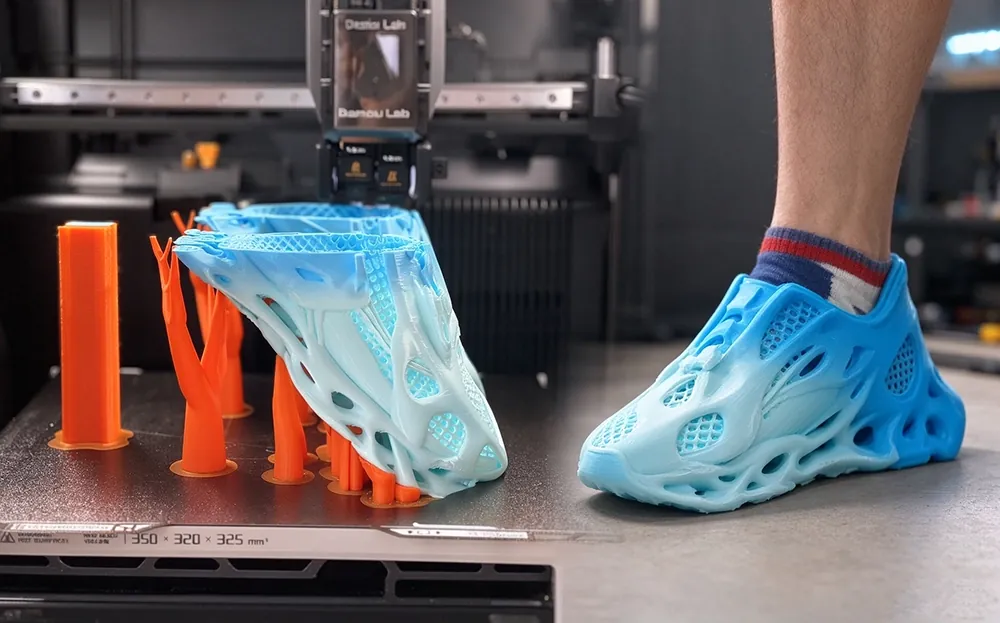
Many TPU filaments start around 210-240 C at the nozzle and 30-60 C on the bed. Use the spool recommendation first, then slow down and reduce retraction before raising temperature.
PIBUNO material data
| Parameter | PIBUNO supplied value |
|---|---|
| Material | TPU |
| Grade / effect | 95A flexible TPU |
| Diameter | 1.75 ±0.02 mm |
| Diameter tolerance | ±0.02 mm |
| Net weight | 200 g / 500 g / 1 kg |
| Shore hardness | 95A |
| Nozzle | 215–235°C |
| Bed | 0°C or 60–80°C |
| Print speed | 20–40 mm/s |
| Data status | Partial |
| Source note | Flexible feed path and low speed are required. |
Source: PIBUNO project material workbook and existing product templates. “Not supplied” means the project did not include a verified value; it is not an industry default.
A starting TPU profile
| Setting | Starting point |
|---|---|
| Nozzle | 210-240 C |
| Bed | 30-60 C |
| Print speed | 15-35 mm/s |
| First layer | 10-20 mm/s |
| Retraction | Low or disabled |
| Cooling | Low to moderate |
Flexible material needs a stable feed path more than a large set of compensation settings.
Why speed matters
TPU can buckle between the extruder and hot end. High speed increases back pressure and can cause under-extrusion or a stalled feed.
Print a simple calibration block at low speed, then raise speed in small steps. Watch the extrusion width and surface over a part that takes several minutes, not only the first layer.
Retraction
Long retraction can pull flexible material away from the melt zone. Start with little or no retraction and inspect stringing.
If strings remain, check moisture and travel speed. Increase retraction only in small steps.
Hardware and feeding
A direct-drive extruder with a short path usually improves control. Support the spool so it turns freely. Avoid sharp bends and excessive tension.
The TPU filament category and product catalog show relevant material options.
Dry the spool
TPU can absorb moisture. Popping, foaming and rough extrusion may be storage problems. Follow the drying guide before rebuilding the temperature profile.
Test part
The filament types guide explains how TPU differs from rigid materials.
Diagnose feeding before temperature
If the extruder clicks, the filament buckles or the flow stops, inspect the path. A long tube, tight spool or excessive tension can stop TPU before the nozzle temperature matters.
Mark the filament near the extruder and watch whether it advances smoothly. A slip marks a feed problem, not a temperature curve.
Use a practical test part
Print a small flexible strip with a bend, a flat grip and a hole. Flex it after cooling and inspect the surface.
List the speed, nozzle temperature, retraction and spool condition. Keep the result with the printer so another operator can repeat it.
Calibrate flow at low speed
Print a single-wall test at slow speed and measure the wall. Flexible material can compress in the extruder, so a flow value copied from rigid filament may not be correct.
Inspect the wall for gaps and bulges. Adjust flow only after the feed path and temperature are stable.
Flexible geometry changes the profile
A short solid part may print at one speed. A tall thin section can flex with the nozzle and produce a different surface.
Print the production geometry or a representative section. Add supports only where they can be removed without tearing the surface.
Printer maintenance
Clean the extruder gears and check the path for sharp bends. Worn gears may slip on flexible filament even when the temperature is correct.
Keep the spool turning freely. A temporary pull from a tangled reel can stretch the filament and cause a visible change in extrusion.
Troubleshooting table
| Problem | First check |
|---|---|
| Clicking extruder | Speed, tension and pressure |
| Gaps after travel | Retraction and feed stability |
| Rough surface | Moisture and temperature |
| Tearing | Geometry and material hardness |
| Poor recovery | Material formulation and wall thickness |
Production handoff
Store the material grade, hardness, dryer settings and slicer profile with the sample. A new spool that looks similar may need a different feed setup.
For repeat orders, keep one flexible reference strip and one rigid fixture. Compare the new part before running a full batch.
Set the maximum speed from the feed system
A direct-drive short path may support more speed than a Bowden system. The nozzle and heater also limit volumetric flow.
Increase speed only after the extruder holds a steady bead. Watch for pulsing, thinning or a filament that buckles at the inlet.
Flexible supports and walls
Thin supports can bend during printing. Use enough walls in load areas and test whether the support can be removed without tearing the surface.
For a grip or seal, print the final thickness and surface orientation. A flat coupon may feel different from a curved production part.
Drying
TPU can absorb moisture. Dry according to the supplier's range and store it sealed. Popping or foam should be resolved before temperature tuning continues.
Document success
Keep the hardened or flexible material ID, printer, nozzle, speed, temperature and test strip. Add the profile version to the production file.
Check the hot-end path
Flexible filament can expand in a hot end and increase friction. A short path, a suitable nozzle and a controlled temperature range reduce the risk.
If extrusion stops after several minutes, inspect for heat creep as well as feed tension.
Set quality criteria
The test strip should have stable width, closed layers and predictable recovery. Mark any tear or permanent deformation.
Approve the material with the geometry and thickness used in the product. A thin decorative sample does not prove a thick grip.
Check hot-end pressure
A flexible strand can buckle as pressure rises. Keep speed low enough that the melt zone accepts material smoothly.
If the extruder clicks, reduce speed before increasing temperature. A higher temperature may hide a feed restriction temporarily but can introduce stringing and degradation.
Design the test part
Use a strip with a bend, a hole and a flat grip. Measure recovery and check for tears after repeated flexing.
Keep the test orientation and profile with the sample. The next spool should meet the same physical standard.
Check the feeder
Clean the drive gears and confirm the filament path is straight. TPU can slip in a worn feeder before the nozzle temperature becomes the problem.
Use a spool holder with low drag. A heavy or tangled reel changes the tension and can create intermittent extrusion.
Set practical limits
Choose a maximum speed that the printer can hold through a tall print, not only a short coupon.
Record the first speed that causes clicking or visible thinning.
Validate recovery
Flex the test strip several times and compare its shape with the original. Keep a photograph and the profile.
Watch the extruder temperature
Heat creep can soften TPU before the nozzle and increase friction in the cold zone.
If the extrusion fades after a long run, check cooling of the hot end and the pressure created by speed.
Repeat the test with the production spool
A sample spool may feed differently from a full production reel. Check the final spool format and holder before a batch.
Check the part after use
Flex the product through the expected range and inspect the mounting points. A material can feed perfectly and still be too soft for the application.
Record recovery and surface wear after repeated cycles.
Keep a production standard
The test strip, profile and spool identification should remain with the approved record.
Any material or geometry change should be compared with that standard.
Plan the production run
Check that the feeder can sustain the selected speed for the full job. A short test may not expose heat creep or a spool that becomes difficult to unwind.
Keep the approved profile and a reference strip with the printer.
Check the finished part
Flex the product through its expected movement and inspect the mounting area. A soft grip may still fail at a sharp hole or a thin tab.
Keep the test strip with the approved profile and material.
Complete the first-article review
Print a representative flexible part after the profile is stable. Check recovery, tear resistance and the fit of any hard insert.
Keep the part with the material label and profile. Repeat the review when the geometry or hardness changes.
The review should include recovery, surface condition and fit of any rigid insert.
Test the insert under the expected pull or compression. The flexible material may allow movement that a rigid sample cannot show.
Repeat with the production geometry
The flexible test strip should be followed by the actual part. Check bends, inserts and the force needed to assemble the product.
Confirm the production profile
Keep the flexible test part, spool and printer settings together. A new hardness or color should be tested before it enters the same job.
Check the approved flexible part again when a new spool changes hardness or color.
The test should measure recovery and fit, not only whether the printer can push the filament without clicking.
A thin TPU section may recover differently from a thick grip, so the actual product shape remains the final check.
Keep the flexible sample with the approved printer and material.
FAQ
What is TPU print temperature?
Many TPU products print around 210-240 C. The exact spool recommendation is more important than a generic range.
Why is my TPU under-extruding?
Possible causes include high speed, excessive retraction, high extruder tension, a long feed path or moisture.
Can TPU print with a Bowden tube?
Some printers can, but direct drive is usually easier. A short, supported path improves reliability.
Is a heated bed required?
Some TPU profiles use a heated bed and others do not. Follow the printer and filament recommendation.